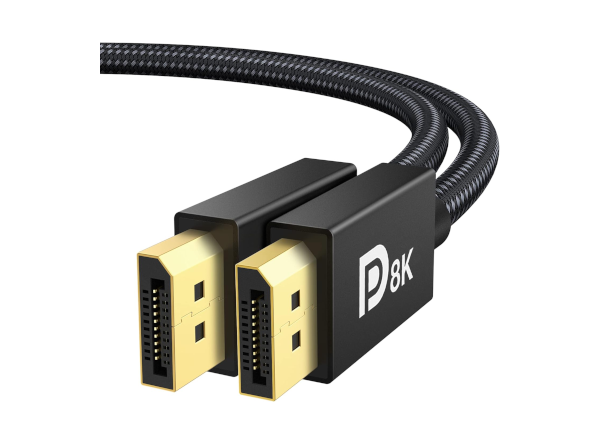
Unleash Your Monitor’s Full Potential with our 8K DisplayPort Cable
If you're using an HDMI cable on GNU/Linux — especially for gaming, high refresh rates, or modern displays — you're likely hitting avoidable limitations. Here's why DisplayPort is the superior, future-proof choice for GNU/Linux users.
The HDMI Forum restricts HDMI 2.1 features (like VRR, 4K@120Hz+) in "open-source" and free software drivers. AMD, for example, cannot legally enable HDMI 2.1 support in its GNU/Linux drivers due to licensing.
DisplayPort is royalty-free and open — fully supported by AMD, Intel, and NVIDIA on Linux with zero restrictions.
“On Linux, DisplayPort just works. HDMI? Not so much.” — Linux community consensus
- Open Standard, Full Support — No Licensing Blocks
- Unlock Full Gaming Performance: FreeSync & G-Sync work flawlessly over DisplayPort on GNU/Linux
- 4K@144Hz, 8K@60Hz, 2K@240Hz — no compression, no chroma subsampling
- HDMI often forces lower refresh rates or degraded quality (e.g., Steam Deck HDMI limited to 4K@60Hz with compression)
- Better Wayland & X11 support: Better Detection & Stability: HDMI ports often fail to hot-plug detect
- Wayland compositors (GNOME, KDE) show inconsistent HDMI detection, while DisplayPort is rock-solid
- Users often report native 8K/4K resolutions missing on HDMI, but working instantly via DisplayPort
- Rock-Solid Audio & Sync: HDMI audio can suffer stutters, latency, and dropouts due to PCIe link issues and driver quirks
- DisplayPort embeds audio more reliably and avoids common HDMI audio handshakes that fail
- The DisplayPort was designed for PC monitors, not TVs: Use the right port for your monitor and achieve a more seamless user experience
- Supports 8K(7680x4320)@60Hz, 5K@60Hz, 4K@144Hz, 2K@240Hz, 1080P@240Hz and Dynamic HDR and HDCP 2.2 (also backward compatible)
- The DisplayPort 1.4 cable provides higher bandwidth, HBR3 supports 32.4 Gbps of bandwidth