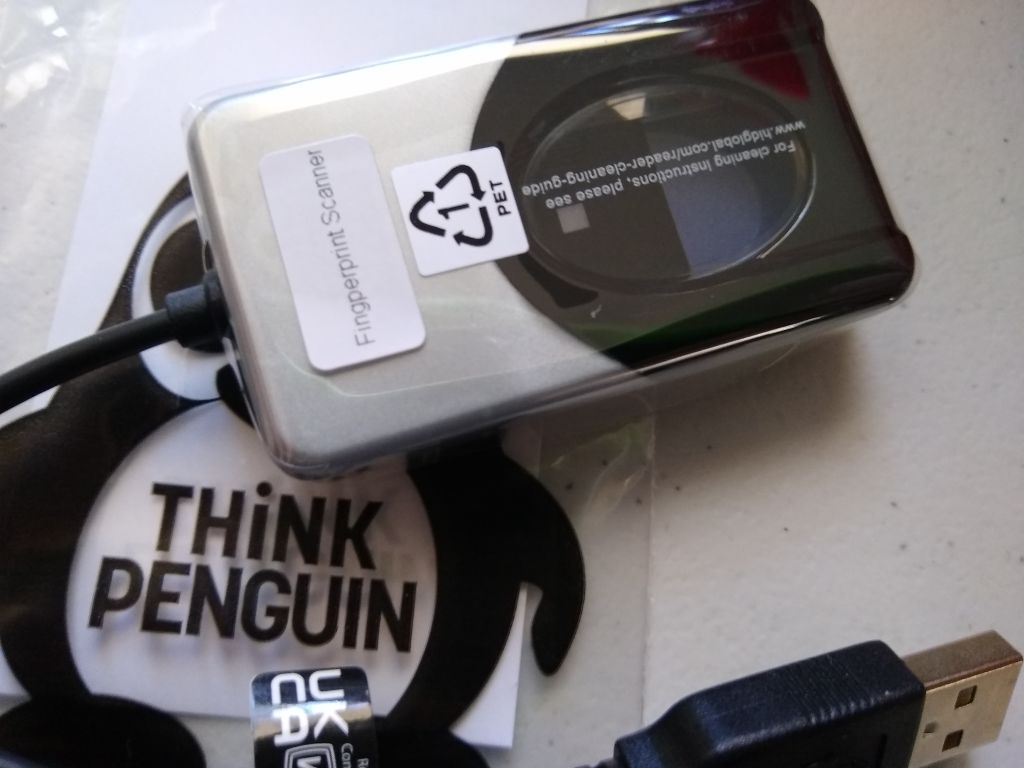
Optical USB Fingerprint Reader GNU/Linux Edition (TPE-F4500)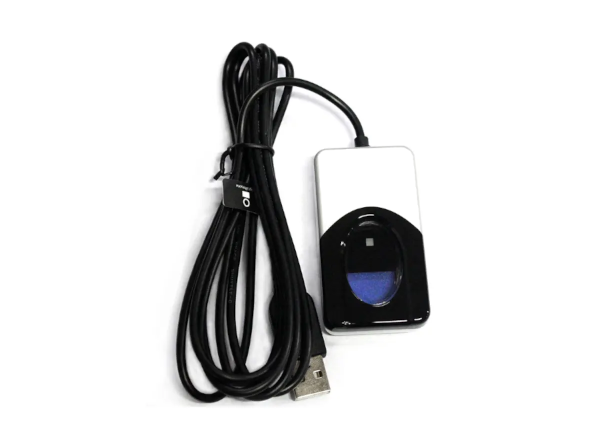
The TPE-F4500 fingerprint reader is a USB peripheral perfect for individual desktop users, as well as multiple users in shared environments. Where most fingerprint readers on the market lack support for GNU/Linux or offer abysmal results the TPE-F4500 fingerprint reader achieves reliable results through the use of a larger sensor and free software support. The fingerprint reader works with the primary free software fprint project, the GNOME desktop environment, the KDE desktop environment, and the Cinnamon desktop environment. To use, simply open settings and go to user settings to enroll a fingerprint for use at login and lock screen. For superior user feedback, a red “flash” indicates that a fingerprint image has been captured. Unlike with other readers there is no question as to whether or not the fingerprint reader is working or not. Looking for a better up close shot? We got that! We also have a demonstration video on how to utilize the fingerprint reader under Fedora/GNOME and another one for Kubuntu / KDE. We also have documentation specific to ZorinOS Core, ZorinOS Lite, Nobara Linux (KDE), and Bazzite Linux (KDE) as well.
Trisquel * 12 Kubuntu * 25.10 Bazzite Linux 44+ Nobara Linux 43+ Linux Mint 22.2, 22.3 ZorinOS 18.1 Ubuntu 22.04, 22.10, 23.04, 23.10, 24.04, 24.10, 25.04, 25.10, 26.04 Fedora 34, 35, 36, 37, 38, 39, 40, 41, 42, 43, 44 Red Hat Enterprise Linux (RHEL) 10 Series 10.0, 10.1, 10.2 Red Hat Enterprise Linux (RHEL) 9 Series 9.0, 9.1, 9.2, 9.3, 9.4, 9.5, 9.6, 9.7, 9.8 Rocky Linux 10 Series 10.0, 10.1, 10.2 Rocky Linux 9 Series 9.0, 9.1, 9.2, 9.3, 9.4, 9.5, 9.6, 9.7, 9.8 AlmaLinux 10 Series 10.0, 10.1, 10.2 AlmaLinux 9 Series 9.0, 9.1, 9.2, 9.3, 9.4, 9.5, 9.6, 9.7, 9.8 Most distributions using GNOME, KDE, or Cinnamon as their desktop environment are supported out of the box. There is specific documentation for a number of distributions or releases where it does not work for login due to the quirky way the authentication systems work with at least certain login managers. For questions about a specific distribution or release not listed above please contact support to request additional information. Distributions with KDE may still require a bit of tweaking. We have documentation for Kubuntu 25.10 that also should largely be applicable to other distributions with KDE. Trisquel 12 supports the fingerprint reader, but does NOT have a graphical utility to enroll a fingerprint. We have directions on how to use the terminal to enroll a fingerprint. |